¶ 🧾 Managing Your Payments & Subscriptions
Need an invoice for a Helio subscription or payment, or want to change your plan? You can do all of this yourself at any time through the payments portal.
¶ ¶ How to Access
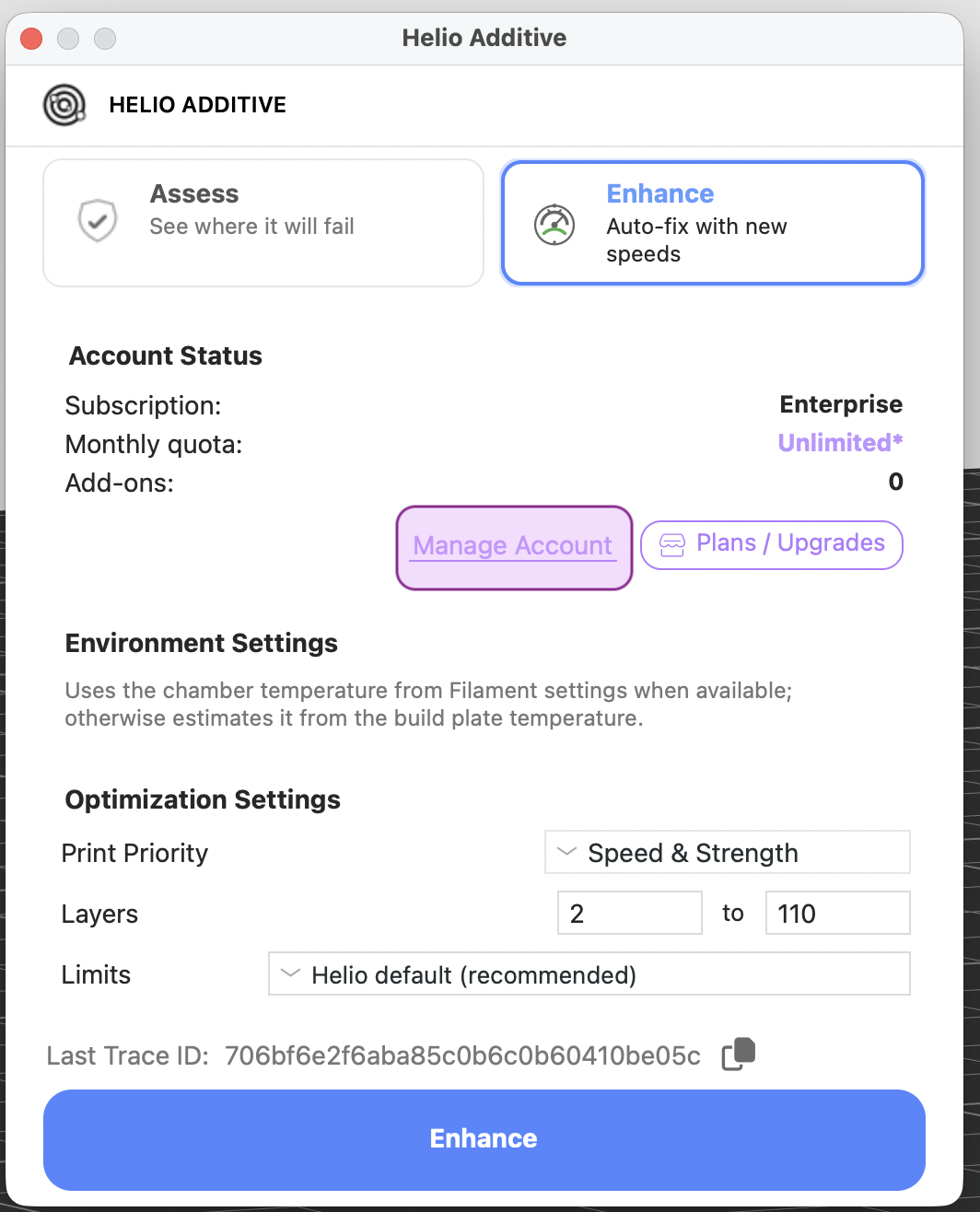
- In Bambu Studio, with Helio enabled, slice an object → click the Helio icon → Manage Account
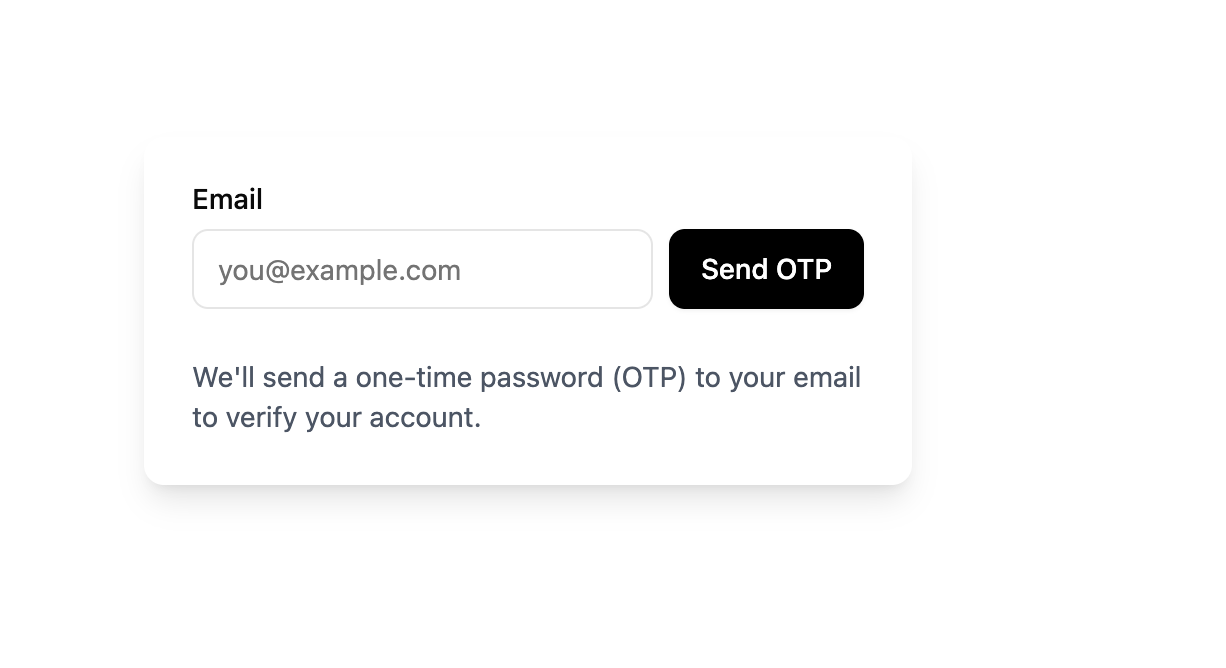
- Verify your email via OTP
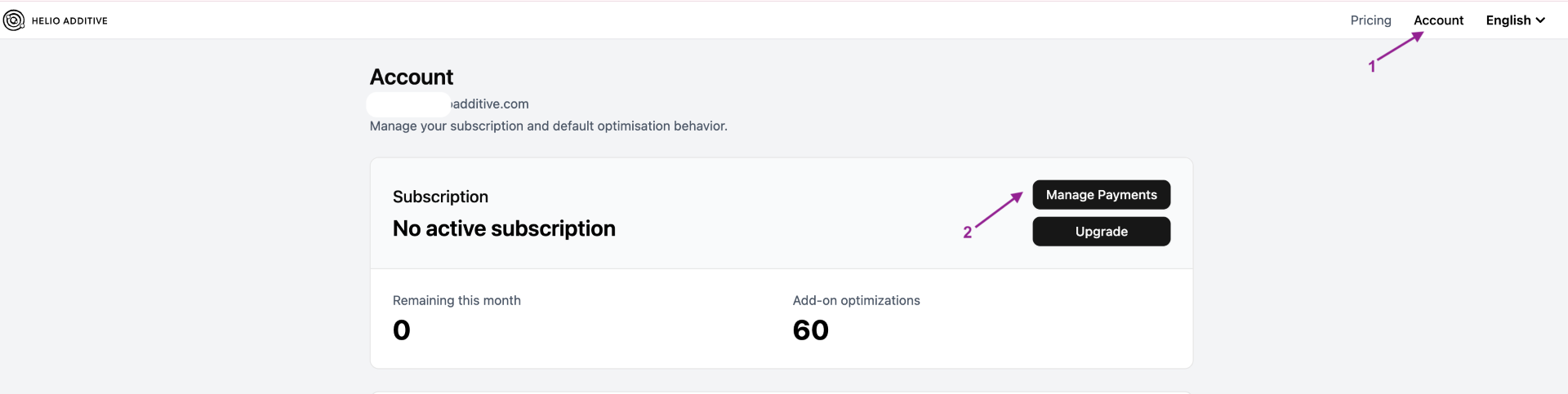
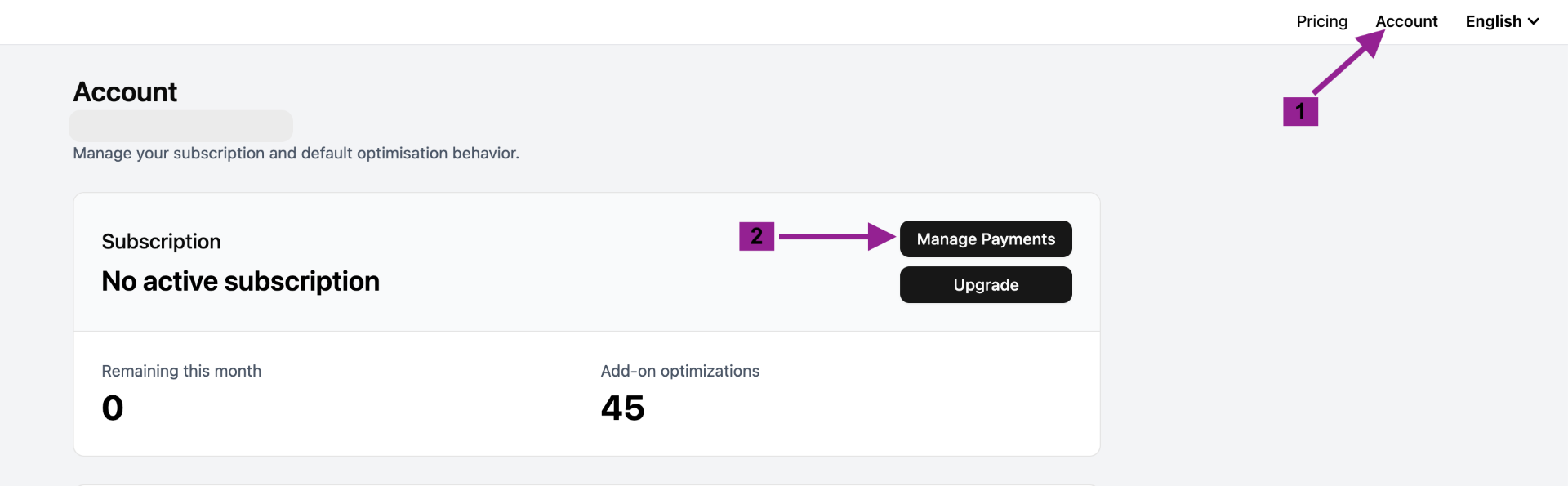
- In the Helio Store, click Account → Manage Payments to open the payments portal
ℹ️ Every section below starts from this payments portal. Complete these three steps first, then follow the section you need.
¶ ¶ 📄 Downloading an Invoice
ℹ️ Follow the How to Access steps above to open the payments portal first.
- Click Payments
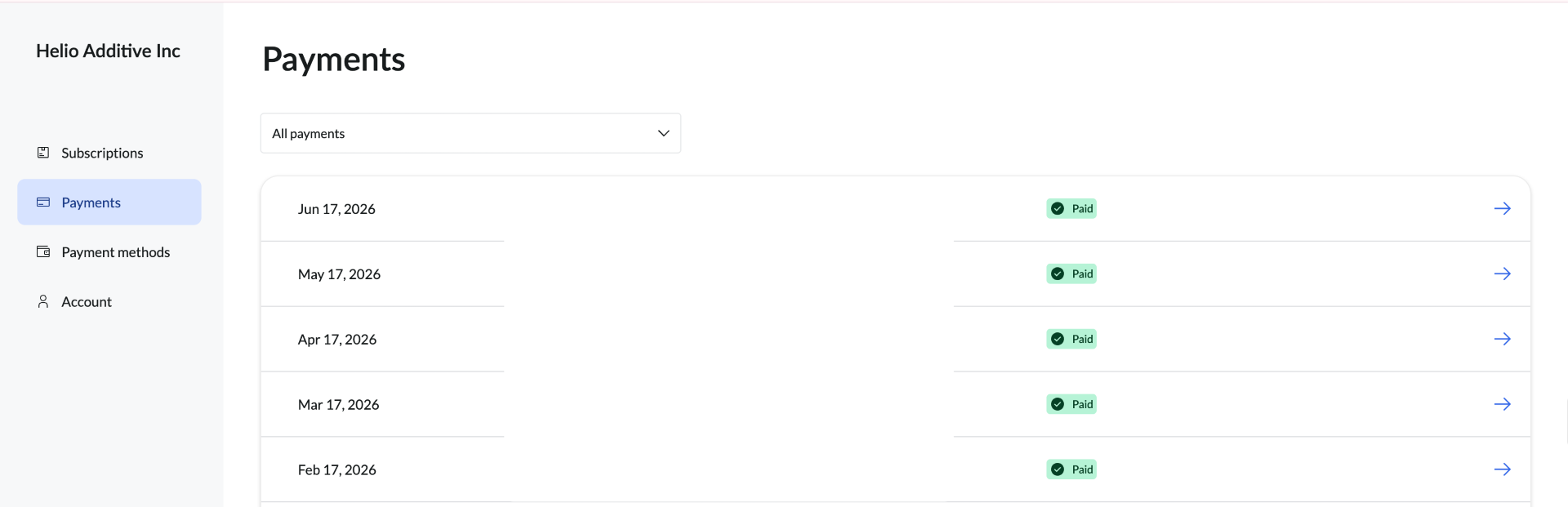
- Click into the specific payment you need an invoice for → click View Invoice

- Once the invoice opens, click Download to save it
ℹ️ All past payments are listed in the payments portal, so you can download an invoice for any billing period, not just your most recent one.
¶ ¶ ✅ Upgrading Your Subscription
ℹ️ Follow the How to Access steps above to open the payments portal first.
To change your subscription (e.g. from monthly to annual):
Step 1: Cancel your subscription
- Click Manage Payments and locate your subscription
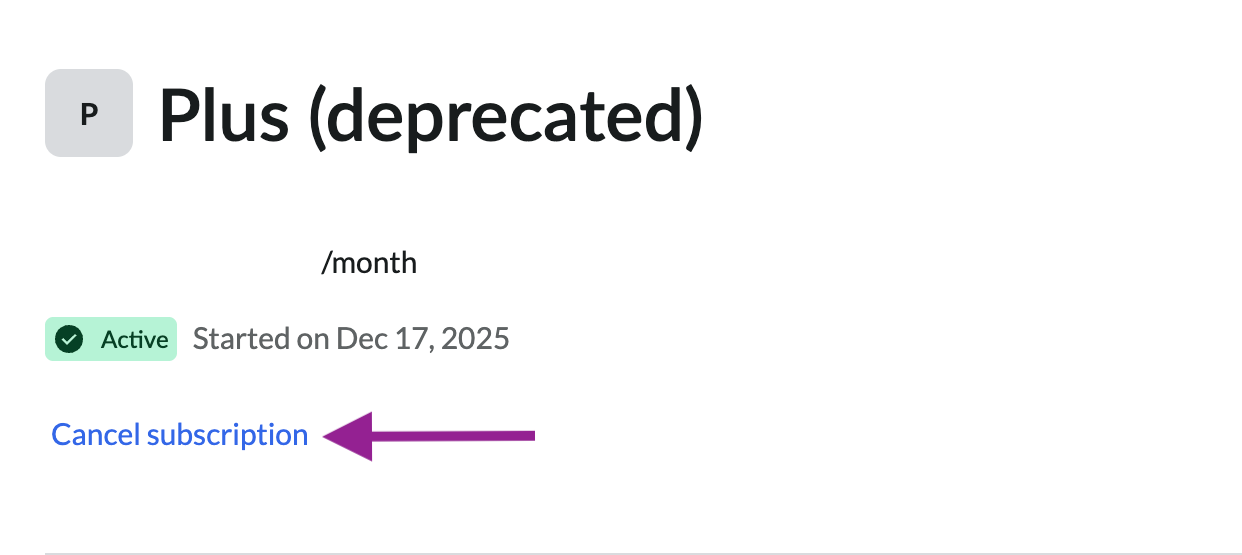
- Find your subscription → click Cancel subscription
Step 2: Purchase an annual subscription
- In the Helio Store, click Pricing
- Select and purchase the annual plan
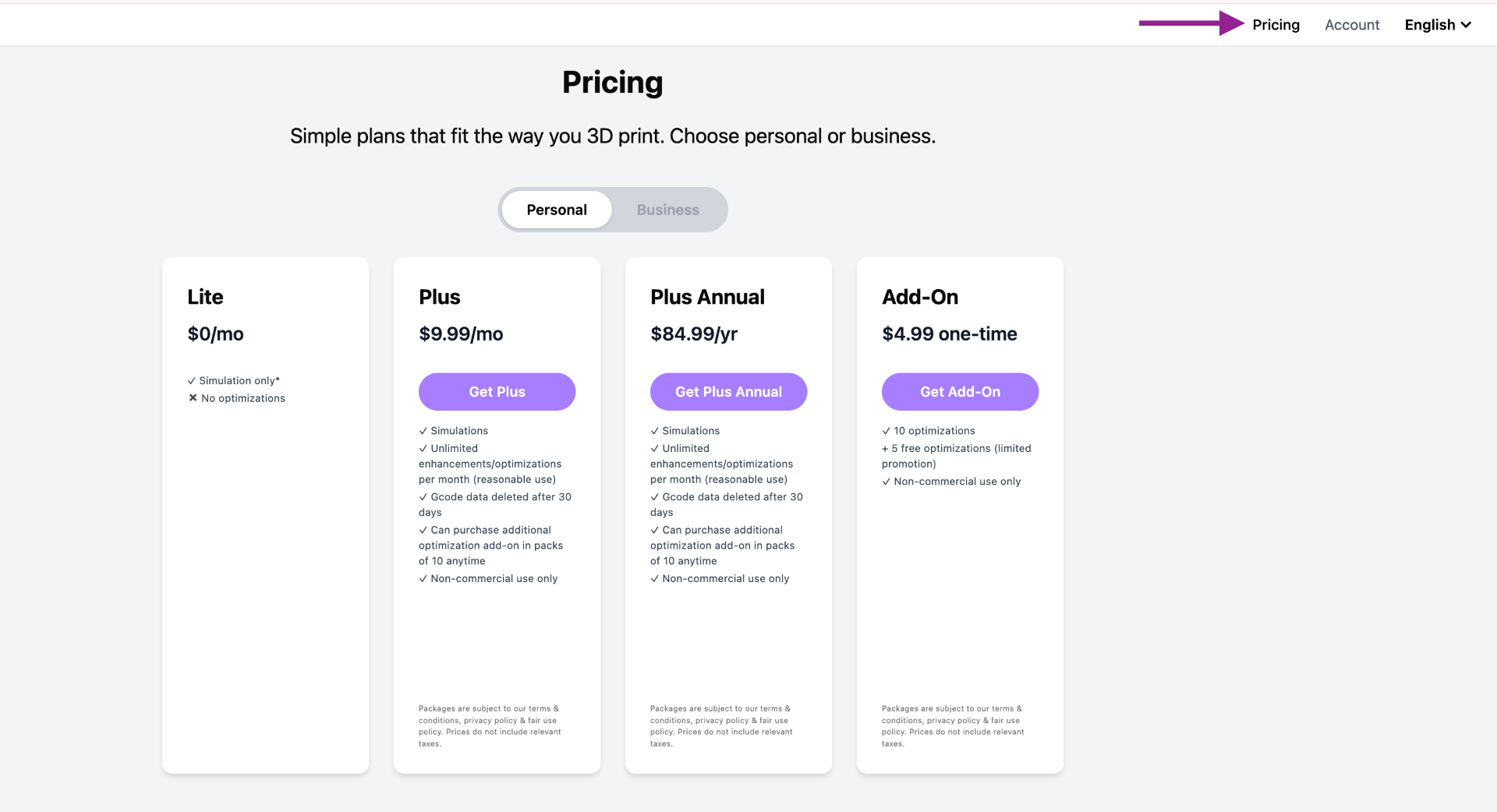
ℹ️ All plans include unlimited optimisations. Add-on optimisations are separate and do not expire at the end of the month.
¶ ¶ ❌ Cancelling Your Subscription
ℹ️ Follow the How to Access steps above to open the payments portal first.
- Click Manage Payments and locate your subscription
- Find your subscription → click Cancel subscription
¶ ¶ 📬 Need Help?
- Email: support@helioadditive.com
- Discord: https://discord.gg/EjQXDJP9kS