¶ 🔥 Case Study: Faster Multi-Color Functional Tools with Helio
With Helio Additive's enhancement tool on a 2-color Bambu ABS G-clamp, we achieved:
- ⚡ 49 minutes faster per print (8h 3m → 7h 14m)
- 🎨 Clean color transitions with no bleeding or quality loss
- 📦 Production benefits: Save 40+ hours on 50 prints
No material changes. No hardware changes. Just smarter print speeds for multi-color workflows.
¶ 🛠️ Faster Multi-Color Tool Production
We tested how much time can be saved on multi-color functional parts using Helio Additive’s enhancement tool, compared to default Bambu Studio settings for multi-color ABS prints.
This report explains what we tested, what the results mean, and why this matters for anyone printing functional tools in multiple colors.
¶ 🧪 What Did We Test?
Multi-color printing is inherently slower than single-color. Every filament change requires a purge cycle, and Bambu’s default profiles respond by being conservative across the board — including on the actual part printing, where higher speeds would be thermally safe. We tested whether Helio could recover that wasted time on a 2-color ABS G-clamp without degrading the functional print quality that makes ABS worth using in the first place.
We printed 2-color functional G-clamps (two clamps per print), on the Bambu X2E and Bambu ABS using two approaches:
- Using Bambu Lab’s default ABS multi-color settings
- Using Helio-enhanced G-code with optimized print speeds
Then we compared how long each print took and whether color quality remained clean.
¶ 🛠️ Why Test a G-Clamp in Multi-Color ABS?
A G-clamp isn’t just a decorative print — it’s a practical workshop tool that needs real strength to handle clamping forces. This makes it an ideal test case for multi-color optimization.
¶ Why ABS?
We chose ABS specifically because this is a functional clamping tool. The material provides:
- Strength and durability for repeated clamping stress
- Heat resistance for workshop conditions
- Impact resistance to survive drops and rough handling
- Toughness that won’t crack under load
¶ Why Multi-Color?
We printed the clamps in two colors (black body and screw components; white knobs) to test whether Helio’s speed optimization would cause problems at color transitions — a common concern with faster multi-color printing.
The complex geometry with threaded parts, curved surfaces, and multiple components also tests how well the optimization handles detailed mechanical features.
¶ 📚 Key Terms Explained
¶ 🎨 Multi-Color Printing
Multi-color printing means printing one object using multiple colored filaments in a single print job. Your printer switches between different colored spools during the print, with each color change requiring the old filament to be cleaned out before the new color is applied.
¶ 🗑️ Purge Tower
The purge tower is a sacrificial waste structure printed alongside your actual part. When the printer switches colors, it prints throwaway material on this tower to flush out the old color, ensuring clean transitions on your real part. This is why multi-color prints take significantly longer than single-color prints.
¶ 🕓 Print Time
For multi-color prints, total print time includes not just printing your part, but also building the purge tower, switching between filaments, and all the travel moves between your part and the tower. These additional steps make multi-color printing inherently slower, which is why even modest time savings become valuable.
¶ 📊 Results Summary
| Metric | Default Settings | Helio Enhancement |
|---|---|---|
| Print Time (Two Clamps) | 8h 3m | 7h 14m (49 min faster) |
| Time Saved Per Print | — | 49 minutes |
| 50 Prints (100 Clamps) | 401h 40m total | Save 40h 50m |
| Color Quality | Clean transitions | Clean transitions (maintained) |
¶ 📈 Visualizing the Results
¶ 🕣 Print Time Comparison
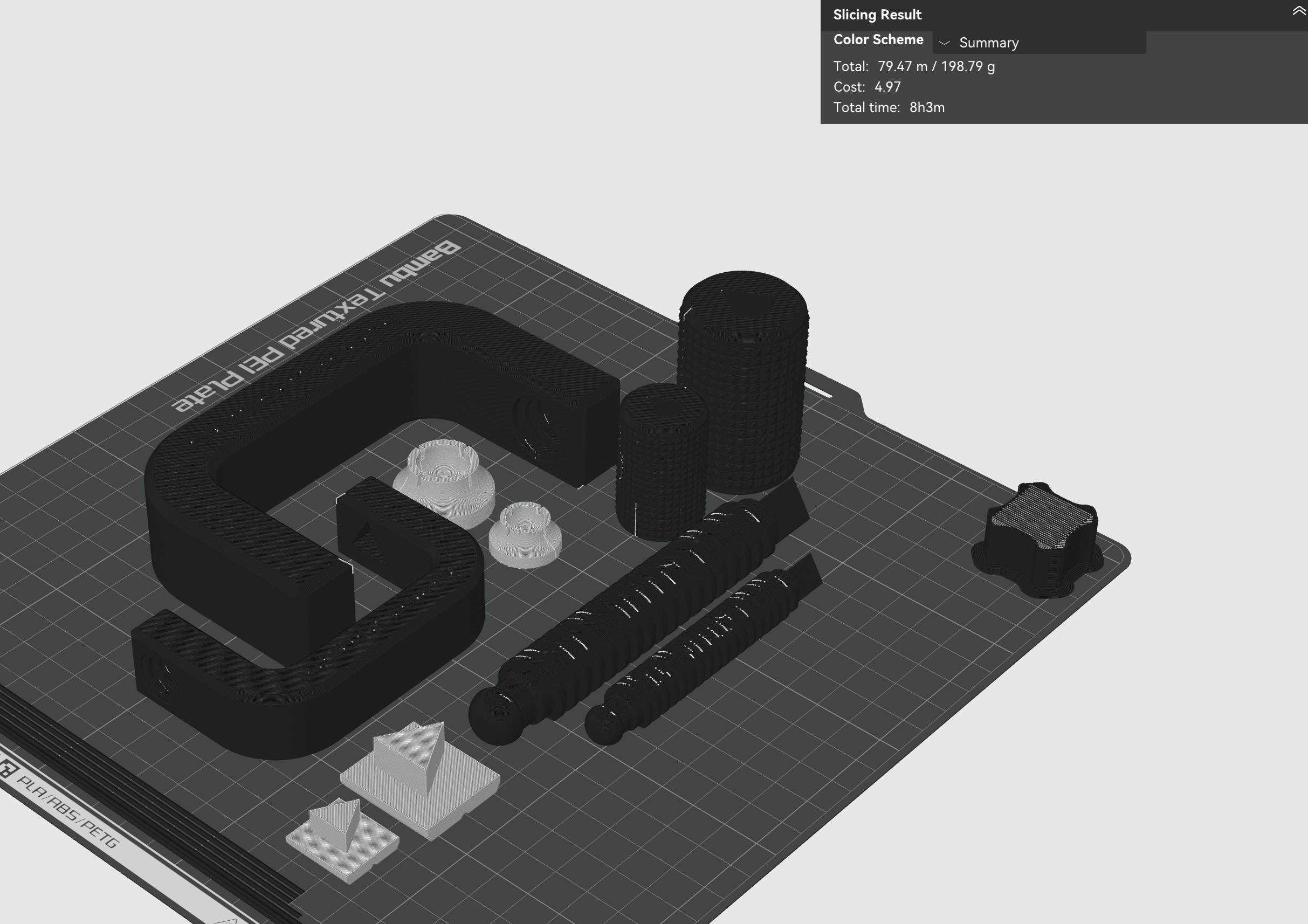
Before Enhance (8h 3m)
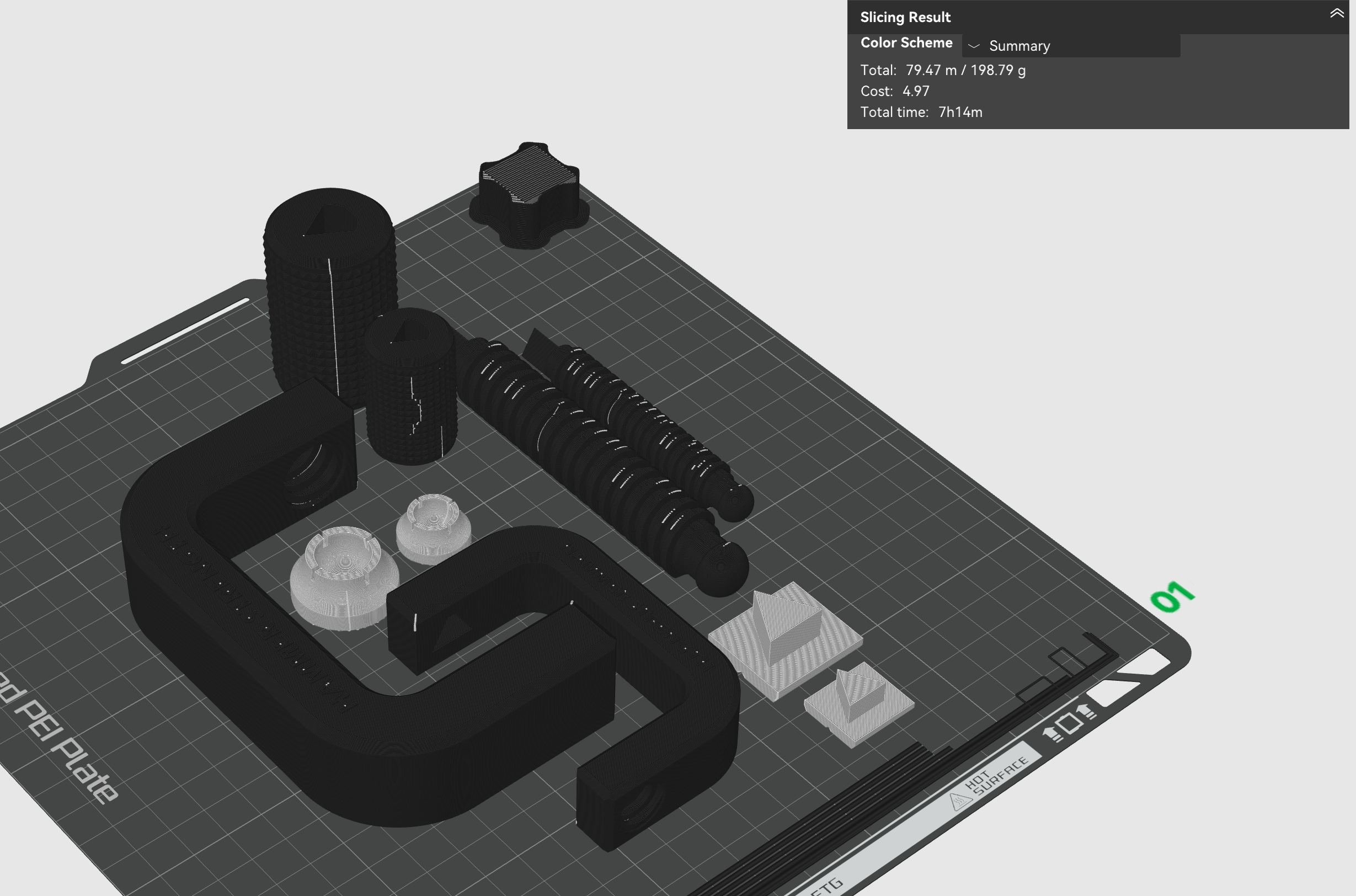
After Enhance (7h 14m)
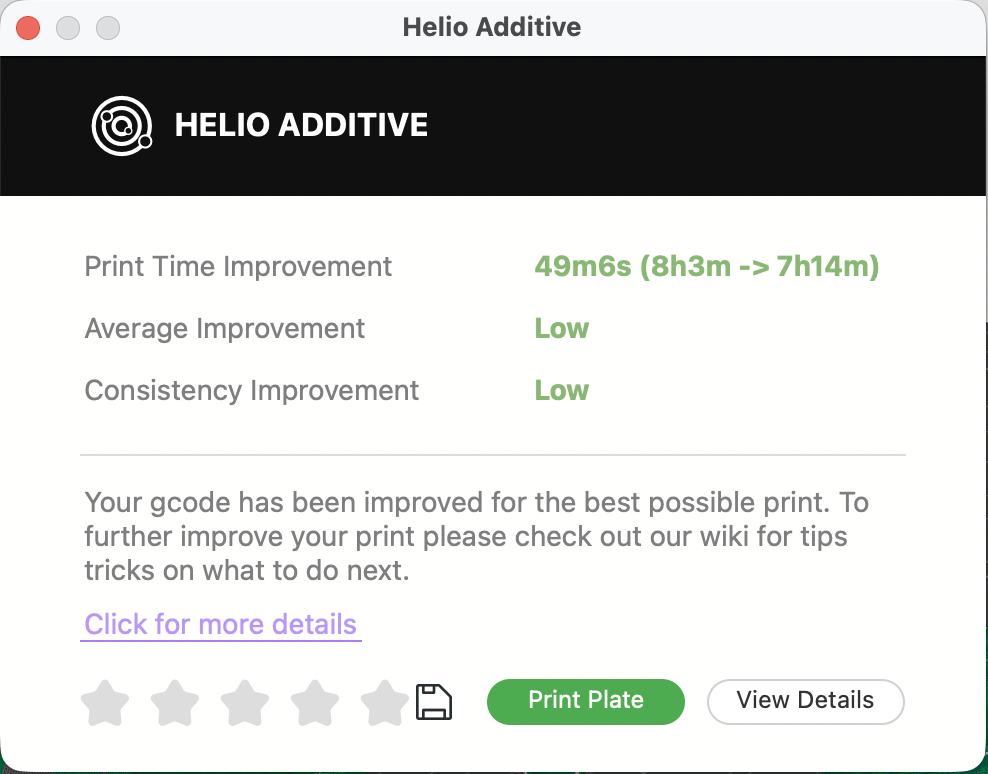
Enhance Summary: 49 Minutes Saved
Helio’s enhancement reduced print time from 8 hours 3 minutes to 7 hours 14 minutes — 49 minutes saved per print.
While this might seem modest for a single print, the time savings compound in batch production. Print 10 times (20 clamps) and you save over 8 hours. Print 50 times for a school workshop or makerspace (100 clamps total), and you save over 40 hours — nearly two full days of printer time recovered.
This is especially valuable for multi-color prints, which are already time-intensive due to the purge tower and filament changes.
¶ ⚡️ Print Speed Comparison
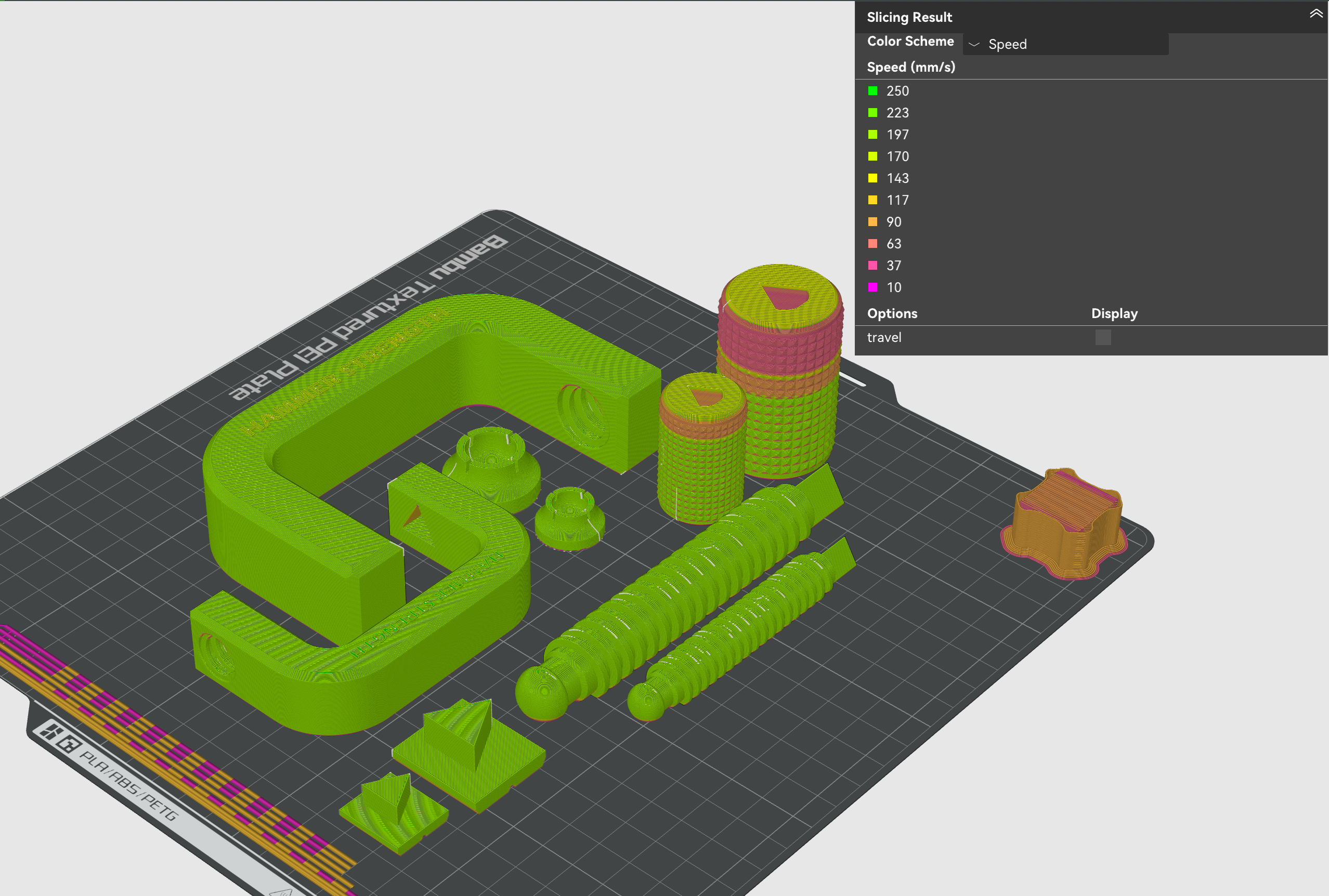
Before Enhance
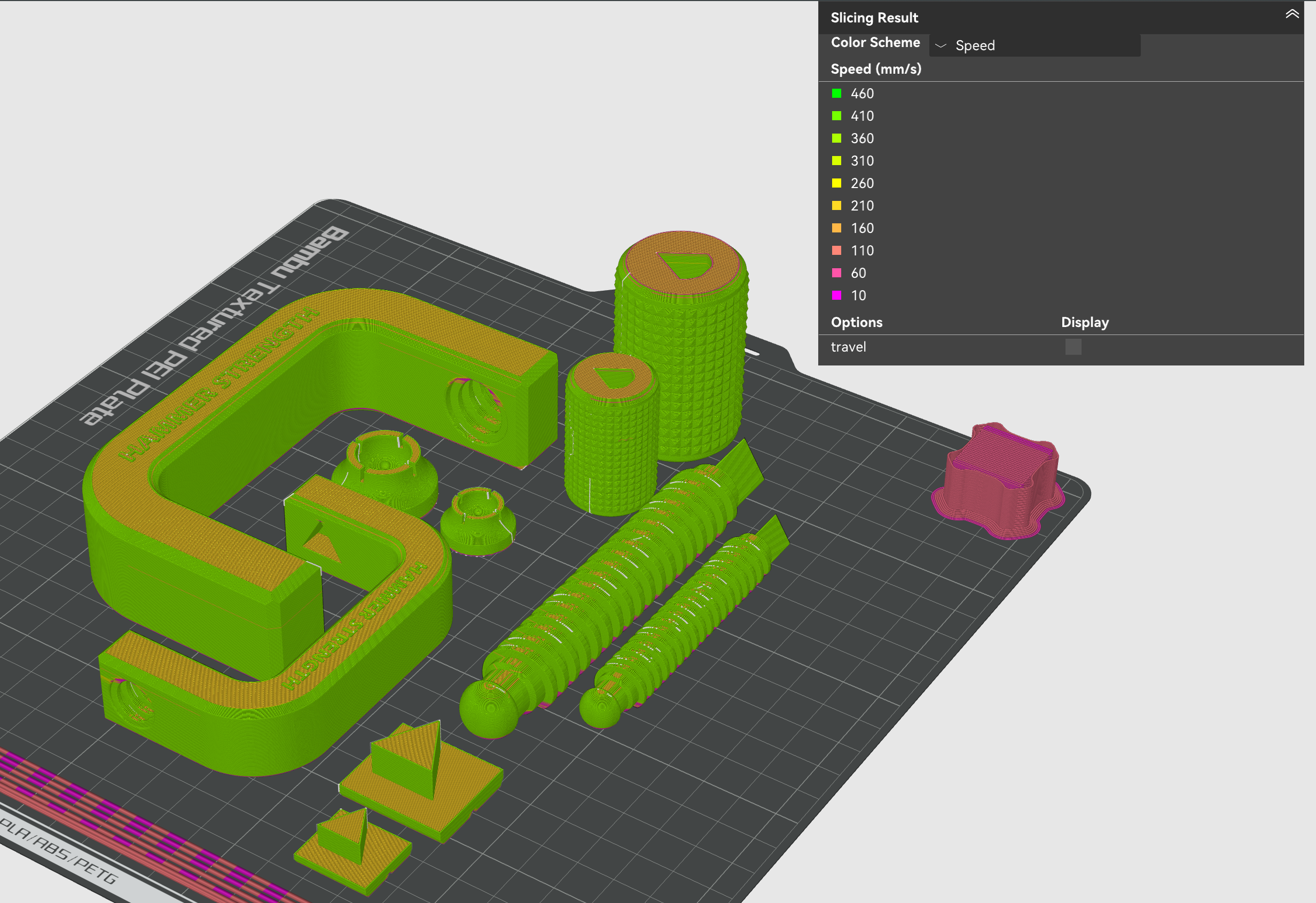
After Enhance
Helio intelligently doubled maximum part speeds (250mm/s → 500mm/s) with layer-by-layer adjustments. Purge tower, filament changes, and travel moves stayed untouched.
¶ 🎨 Print Quality Maintained
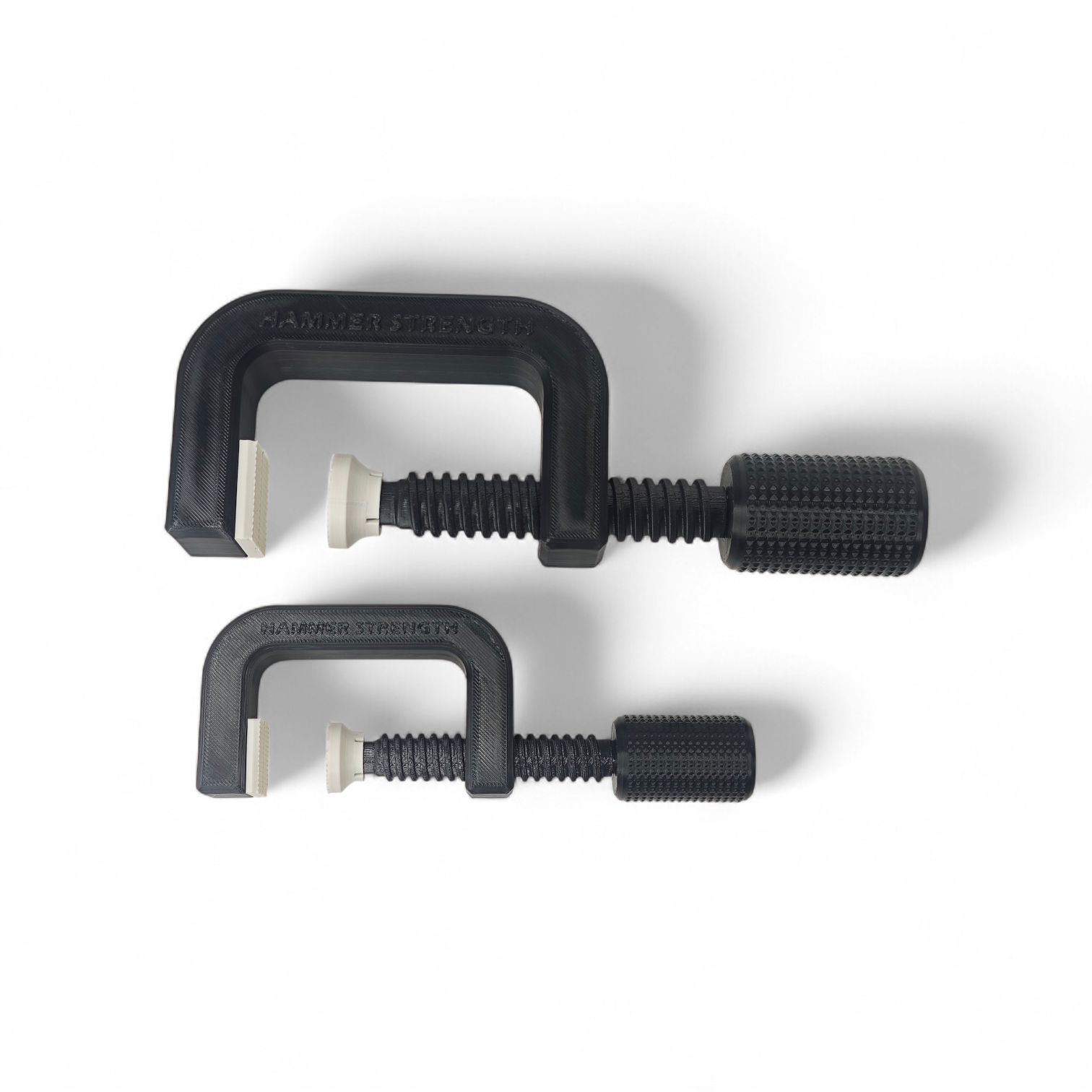
Completed Two-Color Clamps
The two-color design maintained sharp boundaries between black body components and white knob parts, with no color contamination even at faster print speeds.
Visual inspection of both the default and Helio-optimized clamps showed no difference in color quality:
- No color bleeding between black and white components
- Smooth surface with no speed-related artifacts
- Professional appearance maintained
Clean color separation is the entire point of multi-color printing. Helio maintained it while saving 49 minutes per print.
¶ 🧠 How Helio Makes Multi-Color Printing Faster
Multi-color printing is inherently complex. The printer switches filaments every few layers, builds a purge tower to clean out old colors, and moves constantly between your part and the tower. Because of this complexity, default profiles play it safe across the board — printing everything slowly to avoid potential issues.
The problem: This conservatism applies to everything, even the actual part printing where higher speeds would be safe.
Helio’s approach is targeted:
What stays conservative (untouched by Helio):
- Purge tower speeds — reliability matters here
- Filament change procedures — color transitions can’t be rushed
- Travel moves between part and tower — avoiding stringing
What gets optimized (Helio’s focus):
- Actual print speeds of your part
- Layer-by-layer speed adjustments based on geometry
- Material-specific thermal optimization
The result: Faster overall print times without touching the aspects of multi-color printing that actually need to stay conservative.
¶ 📈 When This Matters Most
This kind of optimization makes the most sense for batch production of functional multi-color parts.
¶ Production Use Cases
If you’re printing tools for a workshop, color-coded teaching aids for a school, or assembling a tool library for a makerspace, the 49 minutes saved per print compounds quickly. Print 50 times (100 clamps) and you save over 40 hours — nearly two full days of printer time recovered.
¶ Functional Multi-Color
The approach works well when multi-color serves a functional purpose, not just decoration:
- Color-coded components that make assembly easier
- Tools with colored grips for better handling
- Teaching aids where colors help explain concepts
- Any functional part where visual distinction matters
Multi-color printing is already slower than single-color due to the purge tower and filament changes. But when the actual printing portion is unnecessarily conservative, you’re adding time for no benefit. Helio finds that wasted time and gives it back.
¶ 🧠 Final Thoughts
Multi-color functional parts don’t have to mean slow production. Using Helio’s enhancement, you can:
- Save 49 minutes per 8-hour print
- Maintain clean color transitions and surface quality
- Recover 40+ hours on 50 prints (100 clamps)
- Make multi-color more practical for production use
For single prints, that’s a useful gain. For batch production of functional tools, teaching materials, or color-coded assemblies, the savings become significant — without trading quality for speed.
¶ 📂 Model Credit
Original Design: Hammer Strength Clamp, L-XL Size, Strong by vajcnerd
License: Standard Digital File License
¶ 🧰 How to Try This Yourself
- Download Bambu Studio Beta here
- Enable Helio — See the guide here
- Slice your model with your multi-color settings
- Run Helio Enhancement on the G-code — See the guide here
- Print — same colors, same material, same quality, less time
Helio works with any number of colors (2, 3, 4, or more), so whether you’re printing a simple two-color tool or a complex multi-color assembly, the optimization applies.
¶ 💬 Need Help?
- 📧 Helio Support: support@helioadditive.com
- 💬 Discord: discord.gg/helioadditive
- 📚 FAQ: wiki.helioadditive.com
Print faster. Print functional. Optimize smartly with Helio.